Hyper-Realistic Fantasy Character Portraits Midjourney Prompt
Hyper-Realistic Fantasy Character Portraits Midjourney Prompt. Detailed character portraits blending photorealism with fantasy elements. Features intricate costume designs, magical artifacts, atmospheric lighting, and dramatic expressions capturing personality and lore.
AI Prompt
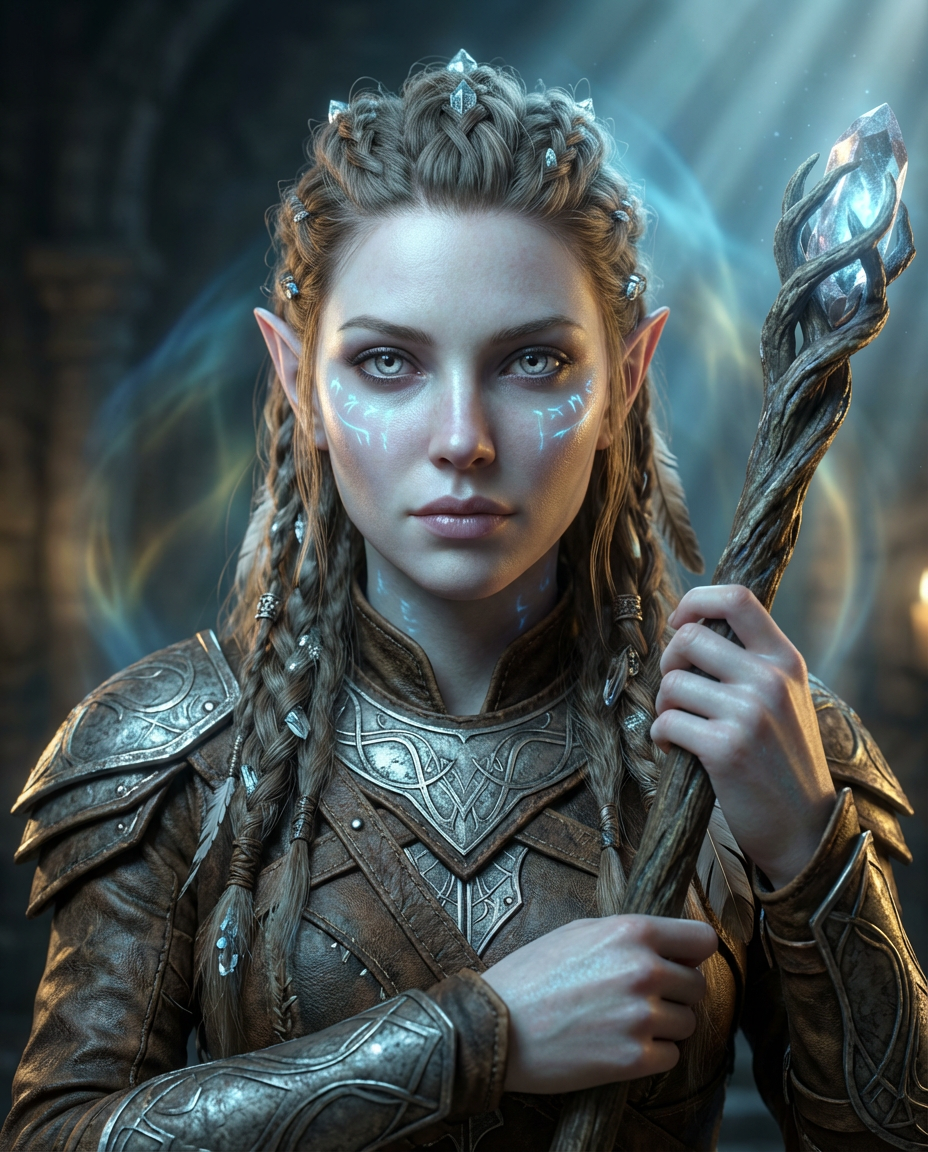
An ultra-detailed portrait of a mystical elven warrior, piercing silver eyes with ancient wisdom,
pale luminescent skin with subtle magical runes glowing faintly across her cheekbones,
intricate braided hairstyle adorned with crystalline ornaments and feathers,
wearing ornate leather and mithril armor etched with runes, holding a glowing staff,
soft magical aura surrounding her, candlelit studio lighting with ethereal backlight,
photorealistic texture, hyper-detailed fabric and metal, shallow depth of field,
professional portrait photography, 8K, sharp focus, volumetric light rays --ar 4:5 --v 6.0
Use Cases & Examples
- Character design for RPG games and fantasy MMOs
- Novel and book cover character illustrations
- Tabletop gaming character references (D&D, Pathfinder)
- Cosplay reference and inspiration
- Character concept art for film/TV production
- Trading card game artwork
- Animation character sheets
Tips & Best Practices
- Describe both physical features AND personality through expression
- Include specific cultural or fantasy elements (elven, dwarven, orc, human variants)
- Use comparative photography terms: "award-winning portrait photography," "studio lighting"
- Specify materials and textures: "crystalline," "opalescent," "weathered leather"
- Add emotional context through expression and pose
- Reference specific artists or photographers for style (e.g., "in the style of Stanley Lau")
- Use the --niji flag for anime-styled characters or --v 6.0 for photorealism
- Combine aspect ratios (--ar 4:5) for portrait formats